



Posted by Vitaly Admin
11 Mar, 2026
Installing SurPad on New Android Versions (Android 15 and Android 16)
Hello everyone,
Some users may encounter a message that the application cannot be installed because it was developed for an older Android version. This happens due to new security features introduced in recent Android versions (Android 15, Android 16).
In the latest Android updates, the system may automatically block installation of applications that are not downloaded from Google Play.
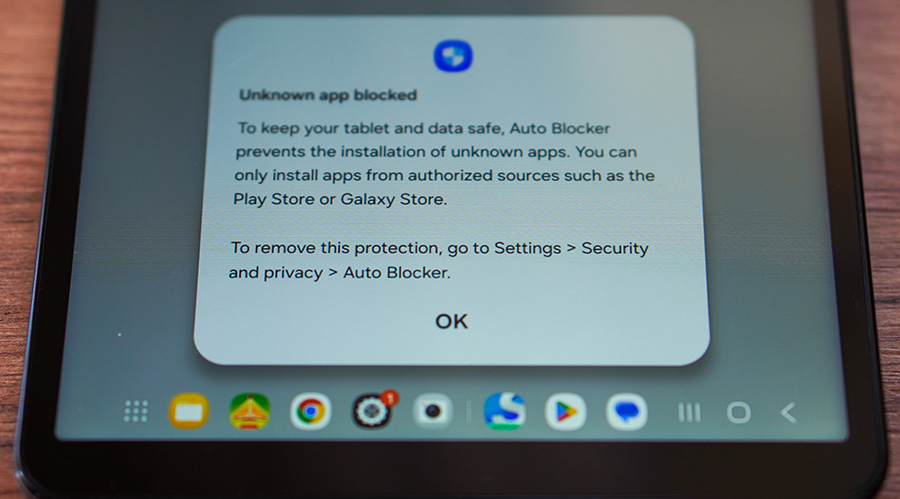
If you see this warning, you can disable the automatic blocking in your device settings.
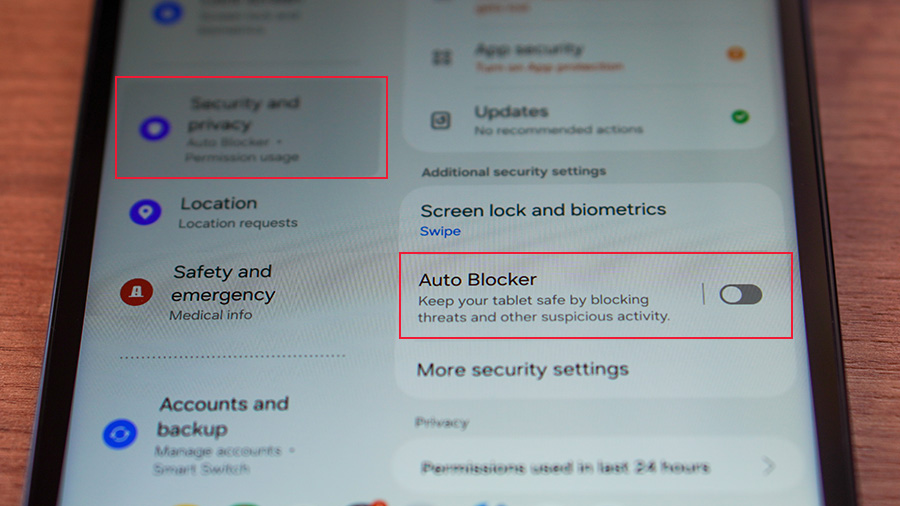
Step 1 — Disable Auto Block
Go to:
Settings → Security & Privacy → Auto Blocker
Disable this option.
Android usually shows this location directly in the notification when the installation is blocked.
Step 2 — Disable Google Play Protect (if needed)
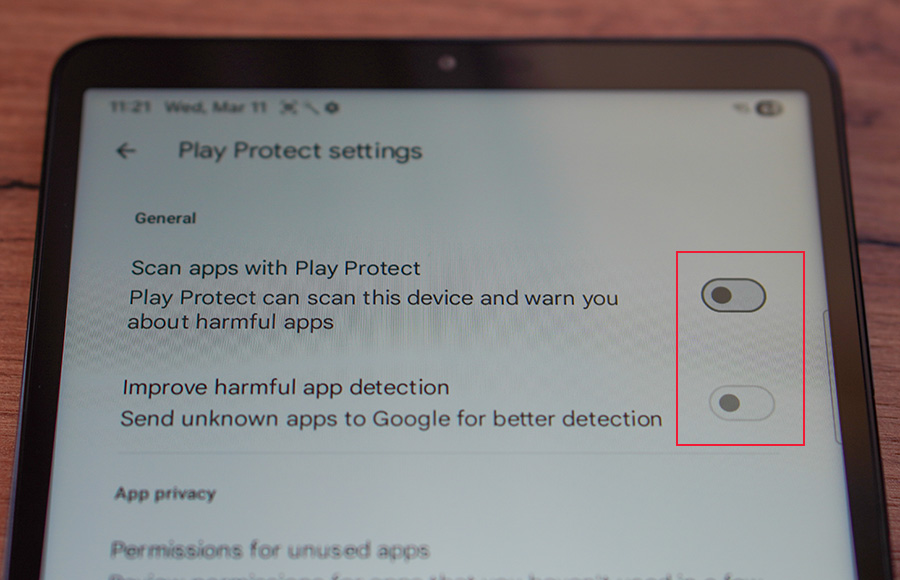
If the installation is still blocked, it may also be restricted by Google Play Protect.
To disable it:
- Open Google Play
- Tap Profile
- Select Play Protect
- Open Settings (gear icon)
- Disable Scan apps with Play Protect
Step 3 — Install the Application
After disabling these protections, you should be able to install the application normally. You can download the latest version of SurPad from our website: https://surpadapp.com
If you still have difficulties installing SurPad, please provide:
your Android version
device model
the SurPad version you are installing
This will help us assist you faster.
We showed the full process in the video.
Installing SurPad on New Android Version...